
No products in the cart.
Return To Shop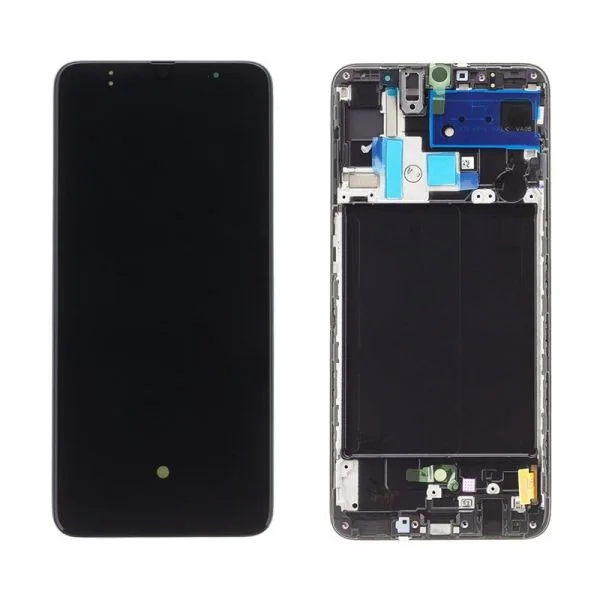
DIY Screen Replacement: How to Choose the Right LCD for Your iPhone or Samsung
Accidents happen. One minute you are texting, and the next, your smartphone is face-down on the concrete. When you pick it up, you are greeted by a spiderweb of shattered glass or, worse, a completely black display.
If your screen is broken, you are faced with a choice: pay astronomical repair shop fees, buy a completely new phone, or take control of the situation with a DIY screen replacement. Fixing your own phone screen is entirely possible, highly cost-effective, and deeply satisfying—provided you use the right parts.
Does Your Phone Need a New Glass or a New LCD?
Before buying parts, you must identify what is actually broken. A smartphone screen assembly consists of two primary components:
- The Front Glass: This is simply the outer protective layer. If your glass is shattered but your phone still displays images perfectly and responds to every swipe, you have only broken the outer glass.
- The LCD/OLED Display Digitizer: This is the internal panel responsible for generating the picture and registering touch inputs. If your screen has black bleeding spots, colored lines, a completely dead display, or fails to respond to touch, you need a full replacement LCD assembly.
Choosing the Right Screen Quality Tier
When shopping for a replacement screen for iPhone or Samsung devices, you will see varying prices. Here is what they mean:
- OEM Premium Grade: These screens match the exact specifications, color accuracy, brightness, and refresh rates of the original factory panel. Choosing premium grades ensures your phone feels exactly like it did out of the box.
- Aftermarket Clones: While cheaper, low-end aftermarket screens often suffer from washed-out colors, lower brightness levels, and higher battery consumption. Investing slightly more in a premium grade screen prevents future touch lag and visual disappointment.
3 Essential Tips for a Safe DIY Repair
- Get the Right Tool Kit: You cannot open a modern smartphone with household tools. You will need precision screwdrivers (like Pentalobe or Tri-wing), suction cups, and thin prying picks.
- Organize Every Screw: Smartphone internals use tiny screws of varying lengths. Putting a long screw into a short screw hole can permanently pierce the logic board (known as ‘long-screw damage’). Use a magnetic mat to track where each screw belongs.
- Disconnect the Battery First: As soon as you open the phone housing, the very first internal component you must disconnect is the battery cable. This prevents short-circuiting sensitive board components while swapping the screen.
Don’t let a cracked screen ruin your digital life. Explore our premium selection of Apple iPhone LCD and Samsung LCD replacement screens at Media Gadgets Outlet to get your device back to pristine condition today!





Add comment
You must be logged in to post a comment.